Inviting customers to use Procuur
You can either invite customers to join Procuur and send you orders, or if you set your Procuur team as Public then other Procuur users can search for you.
Automatic historical upload and customer invites
Once your LabManager has been linked to Procuur, the Transactor Support team will agree a date to automatically upload your customer's historical orders and send Procuur invites to all dentists.
This is the simplest method for getting your customers on board, as the process happens in the background, and any customers accepting the invites are automatically then able to send you orders through Procuur.
Manually invite customers
If you have not agreed to automatically upload customers and historical orders to Procuur, you will need to manually invite customers.
From Procuur:
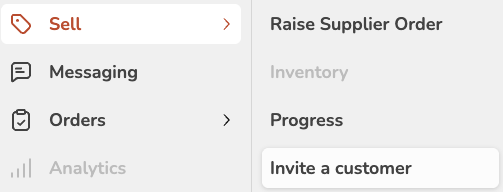
- Click Sell > Invite a customer
- Complete the customer's details and send
or
From LabManager:
- Edit the customer
- Click "Invite to cloud", then "Invite to Procuur"

In all cases, the customer receives an email containing a button to click in order to complete their registration details.
Once registered, they are linked to your team in Procuur as a "trusted supplier" and they will be able to send you orders.