Stages of Work and Change Requests
It is possible for the dentist to submit and the lab to accept Stages of Work, Remake Requests and Change Requests in to LabManager by using Procuur.
To allow this, the lab team must have published at least one type of Change Request form and set it as the default change request form.
Setup
The lab can adjust the change request forms in the same location as where they created their docket:
Click on the team name at the top left of the page, choose "Manage Team" and then "Dockets".
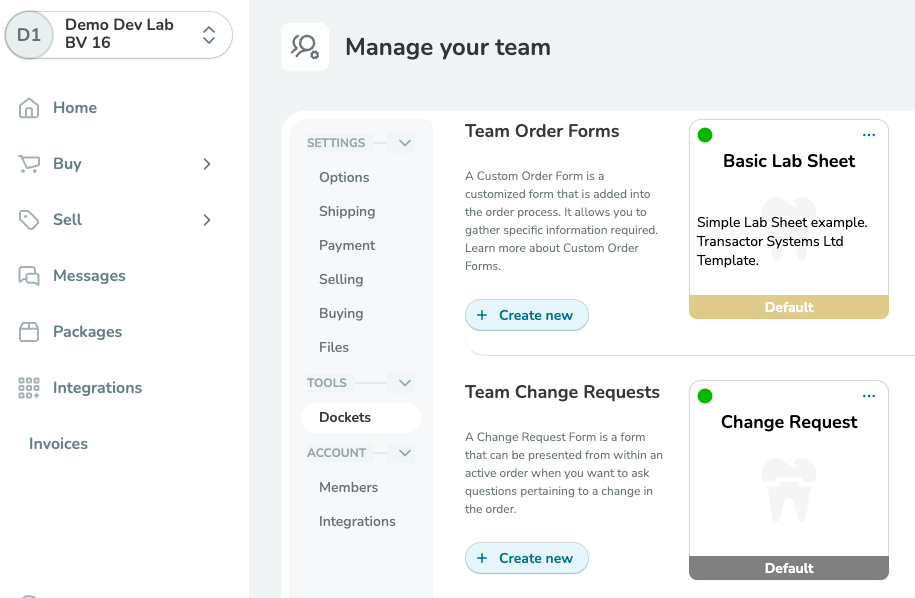
Create a new change request docket by clicking "+ Create New" under the Team Change Requests heading.
Create the new form in the same way you would have created your docket/s, by dragging and dropping components into place and editing the labels and behaviour as appropriate.
Don't forget to click Publish when you are done.
Once saved, you will need to click on the settings ... button of your change request docket (the three dots at the top right of the docket icon) and make it the default for change requests.
How a dentist can submit a change request
When a dentist wishes to submit the next stage of work to the lab for a given job/order, from the Procuur interface they will need to view the current job/order.
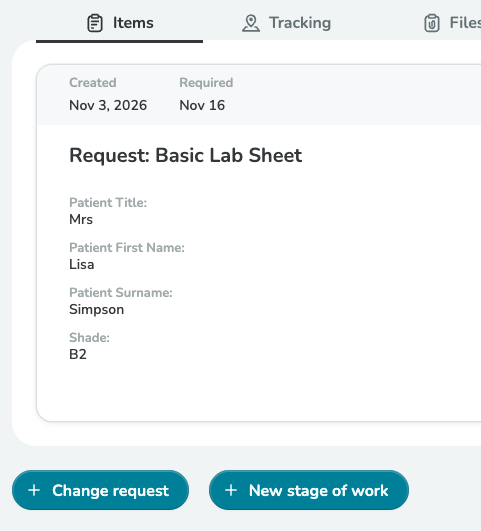
At the bottom of the Order Items tab, they will see the buttons for "Change Request" and "New Stage of Work". These buttons are only available if a change request docket has been published by the lab, and the job/order conditions do not prevent this.
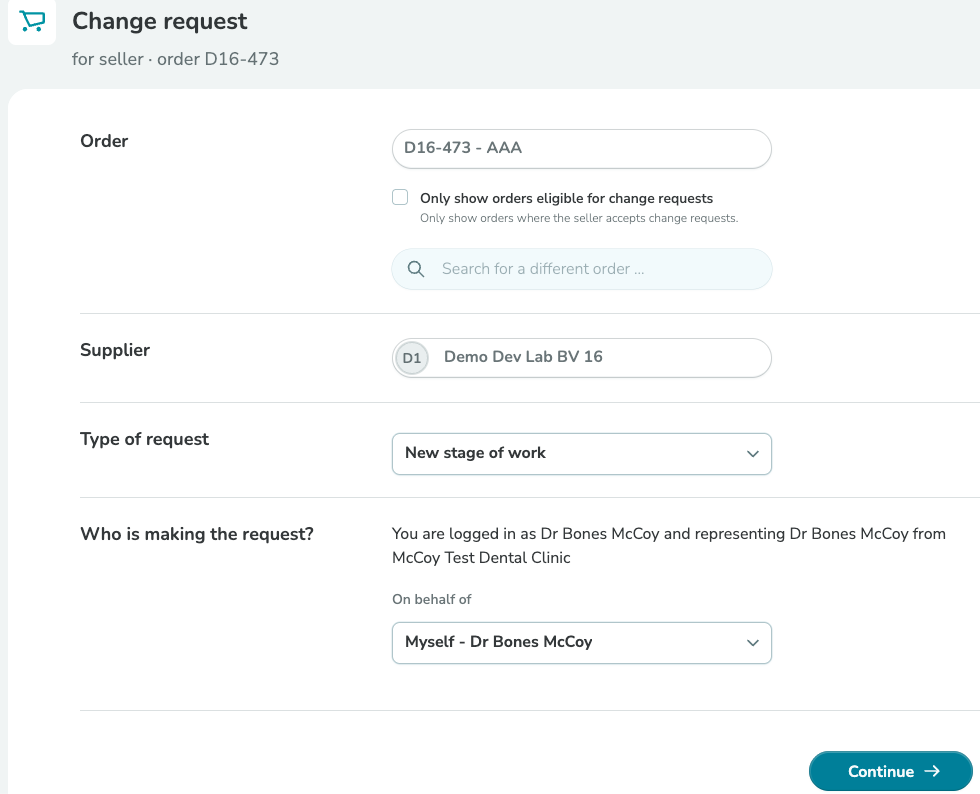
On the following form, the dentist can categorise the request between change request, new stage of work, remake, or other.
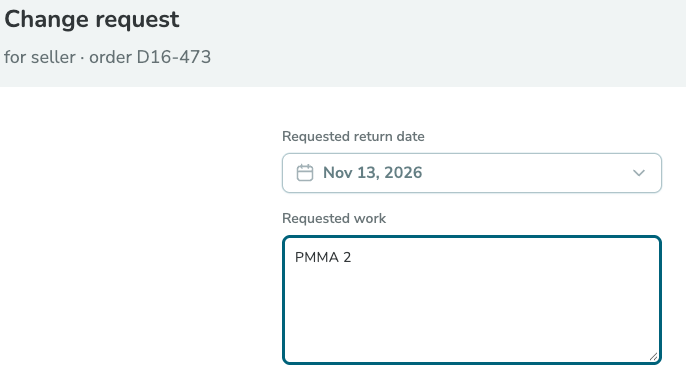
When they continue, they will be presented with the change request form designed by the lab, and on the following screen they can submit files and choose what physical items they will send to the lab.
A notification will be received in LabManager, and the change request docket will be attached to the job.
Change Requests and Stages of Work for COMPLETED JOBS
If a request is submitted for a job that is completed, then LabManager will create a second job that is a copy of and is associated with the first job. This allows the first stage to remain as invoiced, and the new request to be treated as a new stage that is billed separately.
When the lab receives a change request, remake request or stage of work for a completed job, you will see a notification in the notifications list.
When you view the job, you will see a second job has been created and is visible in a tabbed view above the main form. Click on either job tab to see the respective job stage.

Edit and book in the new stage.